Skip to content
Tabitha

Use cases

What people scrape with Tabitha

Every job below names the tool that does it. Where we have a capture of that job, it is a real screenshot of the extension running in Chrome rather than a drawing. If yours is not here, it is probably one of these with a different site.

Company and contact lists

Turn a company directory into a call list

Two hundred companies, spread over ten pages, and the sheet is due today.

Click one entry. Keep the columns you care about, set a page cap and let it walk the rest: one row per company, with the site, the branch and whatever contact fields the listing shows.

Tool: List Extractor

This job collects data about people. You decide the legal basis for holding it and you answer for that decision. See the terms

Take local businesses out of a map search

The results panel holds exactly the shops you want. Copying every name, address and phone by hand costs you an afternoon.

Scroll the panel until it stops loading more. One click on a result card and the whole panel lands in a table, with the address split from the name.

Tool: List Extractor

This job collects data about people. You decide the legal basis for holding it and you answer for that decision. See the terms

Find the published email on a list of company sites

You have the domains. The address a human being actually reads is the column that is missing.

Hand over the list of sites. Tabitha opens them one at a time and writes whatever each page publishes into the row next to the company.

Tool: Email and Phone Extractor

This job collects data about people. You decide the legal basis for holding it and you answer for that decision. See the terms

Collect the social profiles behind a company list

You want to see where a company actually posts before you write to anyone. The footer hides six different links.

Point the tool at your list of sites and you get one column per network, filled from the headers, footers and contact pages it read.

Tool: Social Link Extractor

This job collects data about people. You decide the legal basis for holding it and you answer for that decision. See the terms

Take the exhibitor list before the fair starts

The exhibitor catalogue is a web page with four hundred names on it. You have two days at the fair and would like to plan them.

One click on an exhibitor card takes the whole catalogue: stand number, sector and site. Sort it in your spreadsheet and you have a route for both days.

Tool: List Extractor

Products, prices and stock

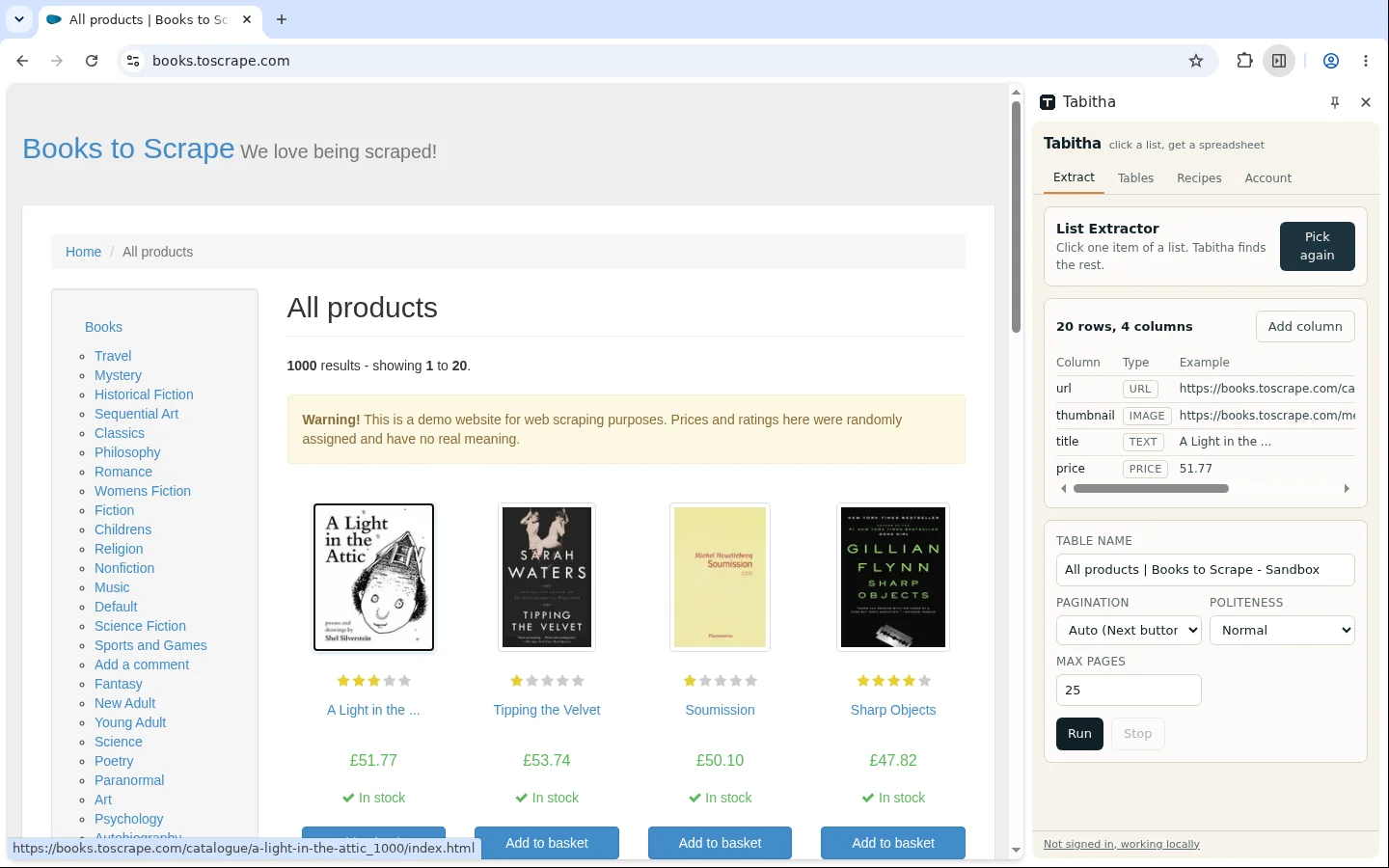
One click later on books.toscrape.com: twenty product cards are highlighted on the page and the Tabitha side panel lists the detected columns with their types.
books.toscrape.com

Copy a competitor catalogue into a sheet

Their shop shows twenty products per page. You want the whole assortment next to yours, in one view.

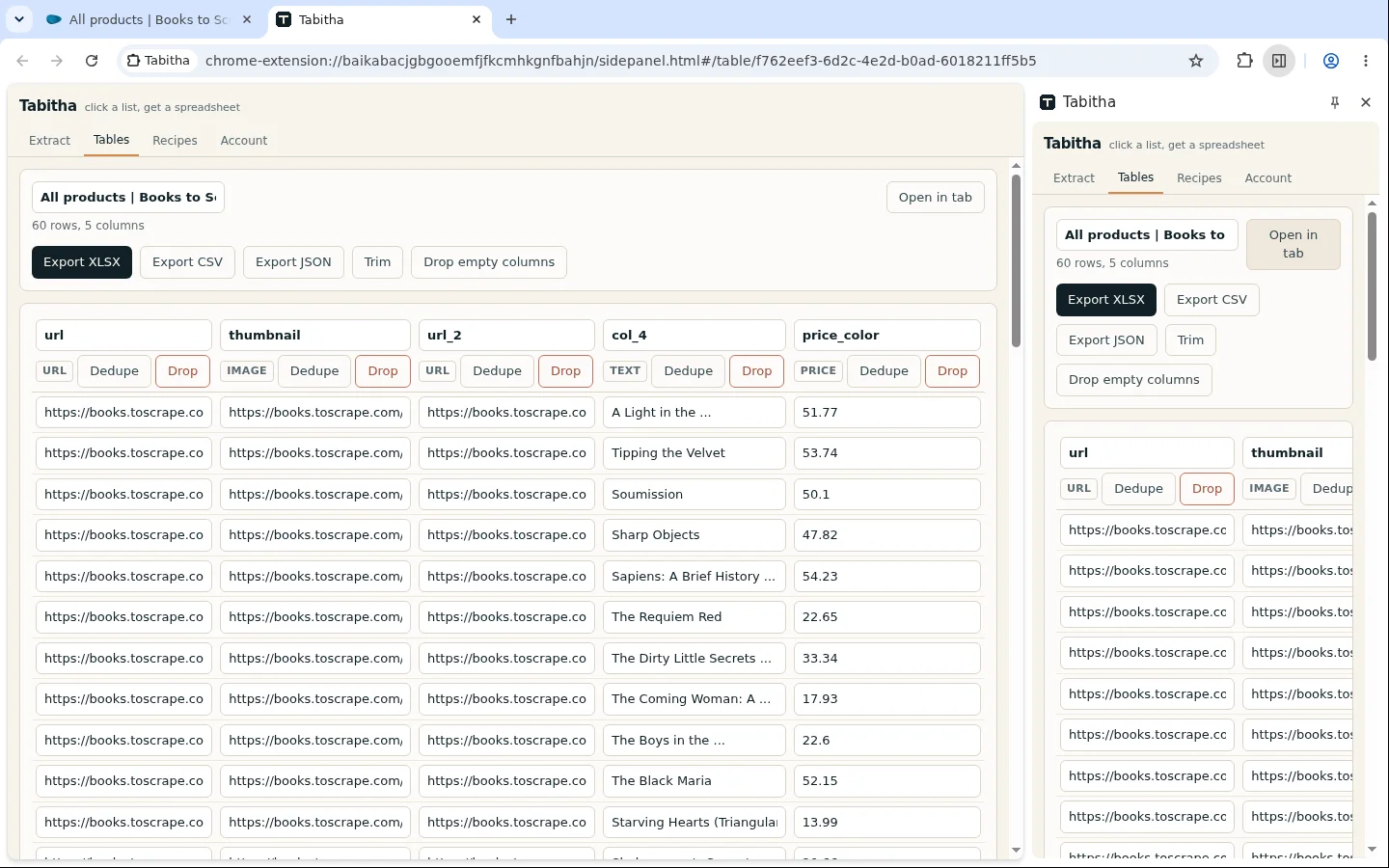
Click one product card and Tabitha finds the other nineteen. It proposes columns for name, price, availability, image and link, then follows the next button to the end of the catalogue.

Tool: List Extractor

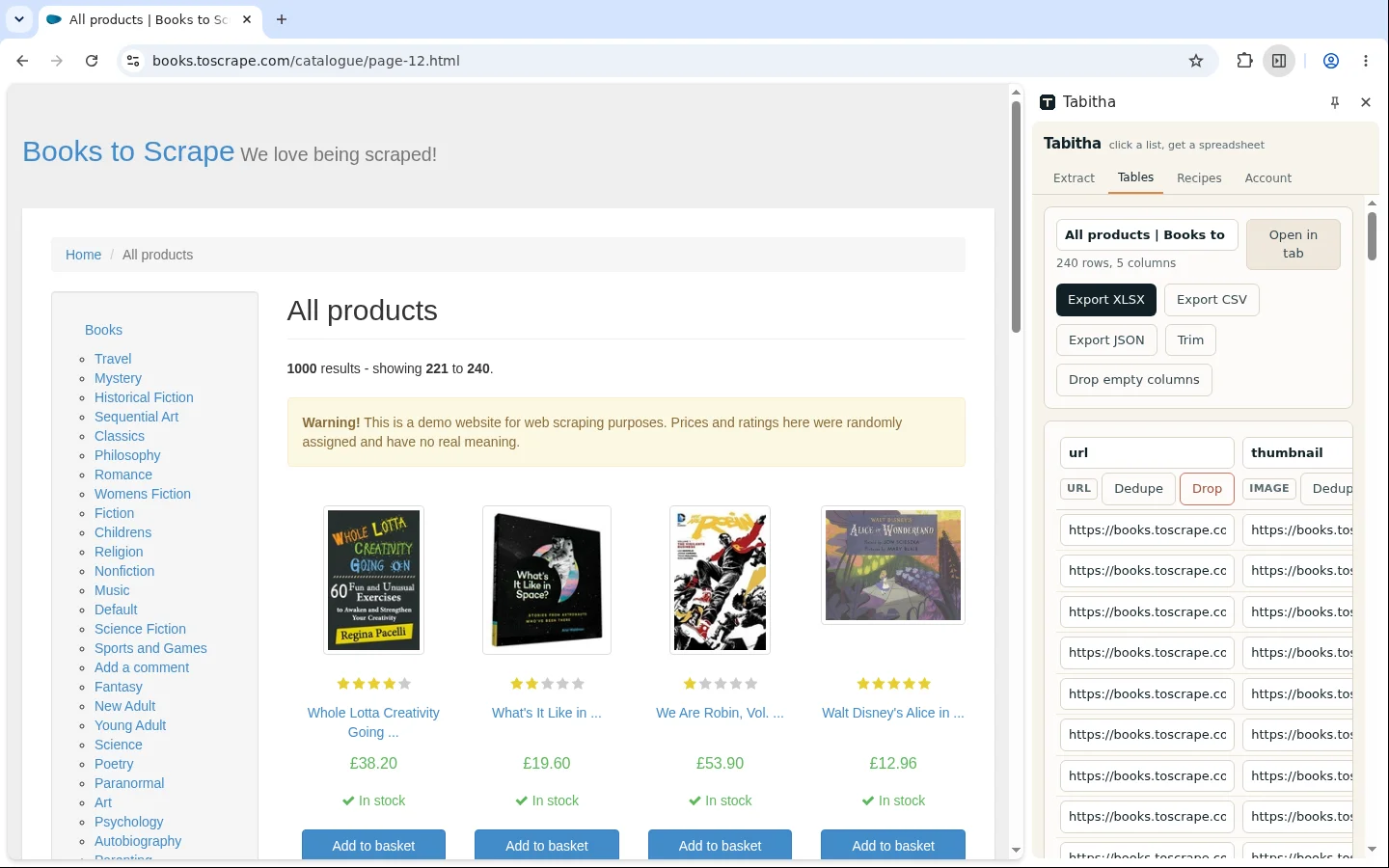
The finished table in the Tabitha side panel on books.toscrape.com: title, price and availability as separate columns, one row per product.
books.toscrape.com

Watch competitor prices without a subscription

You need to know when they cut a price. Tools that do this start at a monthly fee per shop.

Save the run as a recipe and start it once a week. Put two exports next to each other in a spreadsheet and you have a price history nobody had to type.

Tool: List Extractor

Check availability across a whole shelf

One product page tells you it is out of stock. You need the answer for three hundred products at once.

Give the availability label a column of its own and keep it as text. Then filter the export down to the rows that changed since last week.

Tool: List Extractor

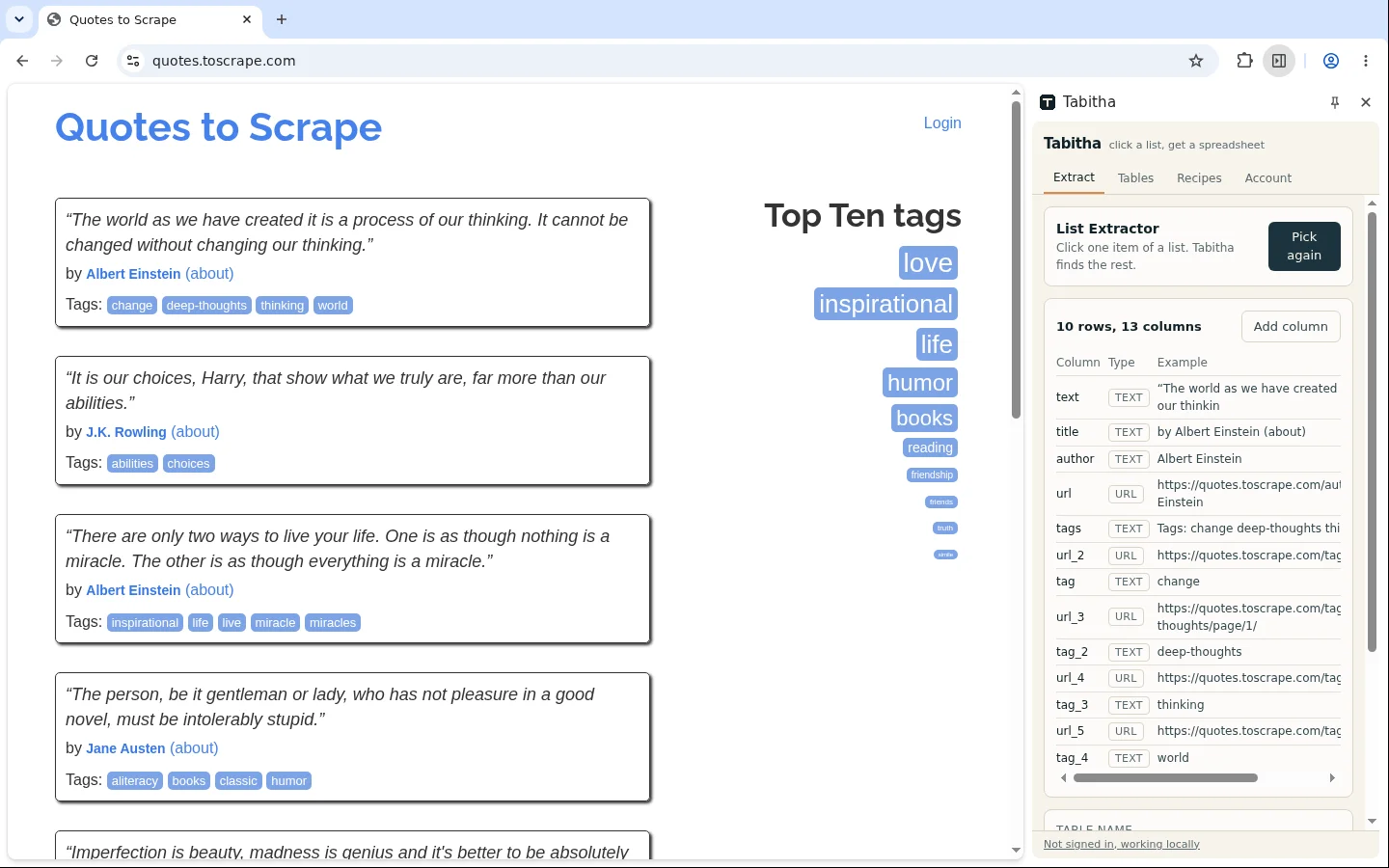
A page of quotes on quotes.toscrape.com, each block highlighted. Text, author and tags sit in separate columns in the Tabitha side panel.
quotes.toscrape.com

Read every review at once

Four hundred reviews sit behind a load more button. What you want is the thing people repeat, and the first ten will not tell you.

Author, score, date and the full text each get a column. The score comes back as a number, so you can average it yourself or hand the whole file to Claude.

Tool: List Extractor

This job collects data about people. You decide the legal basis for holding it and you answer for that decision. See the terms

Download product images in one go

The supplier sent a link to their catalogue instead of a zip. You need the photos, named after the products.

Set a minimum size so the icons drop out, then run the download. Every file arrives named from the product it belongs to.

Tool: Image Downloader

Pull a Shopify catalogue ready for import

You are moving a shop, or measuring one against yours. Either way the import file wants variants, prices and stock in a particular shape.

Tabitha recognises the platform and reads the product feed rather than the rendered page, so the table comes back with one row per variant.

Tool: Shopify Extractor

Offers and listings

Follow a property search without refreshing it

Your search returns sixty flats and the good ones go in two days. The portal will not export any of them.

Take price, area, district, floor and link into a table. Run the same recipe tomorrow, and the difference between the two files is what came on the market.

Tool: List Extractor

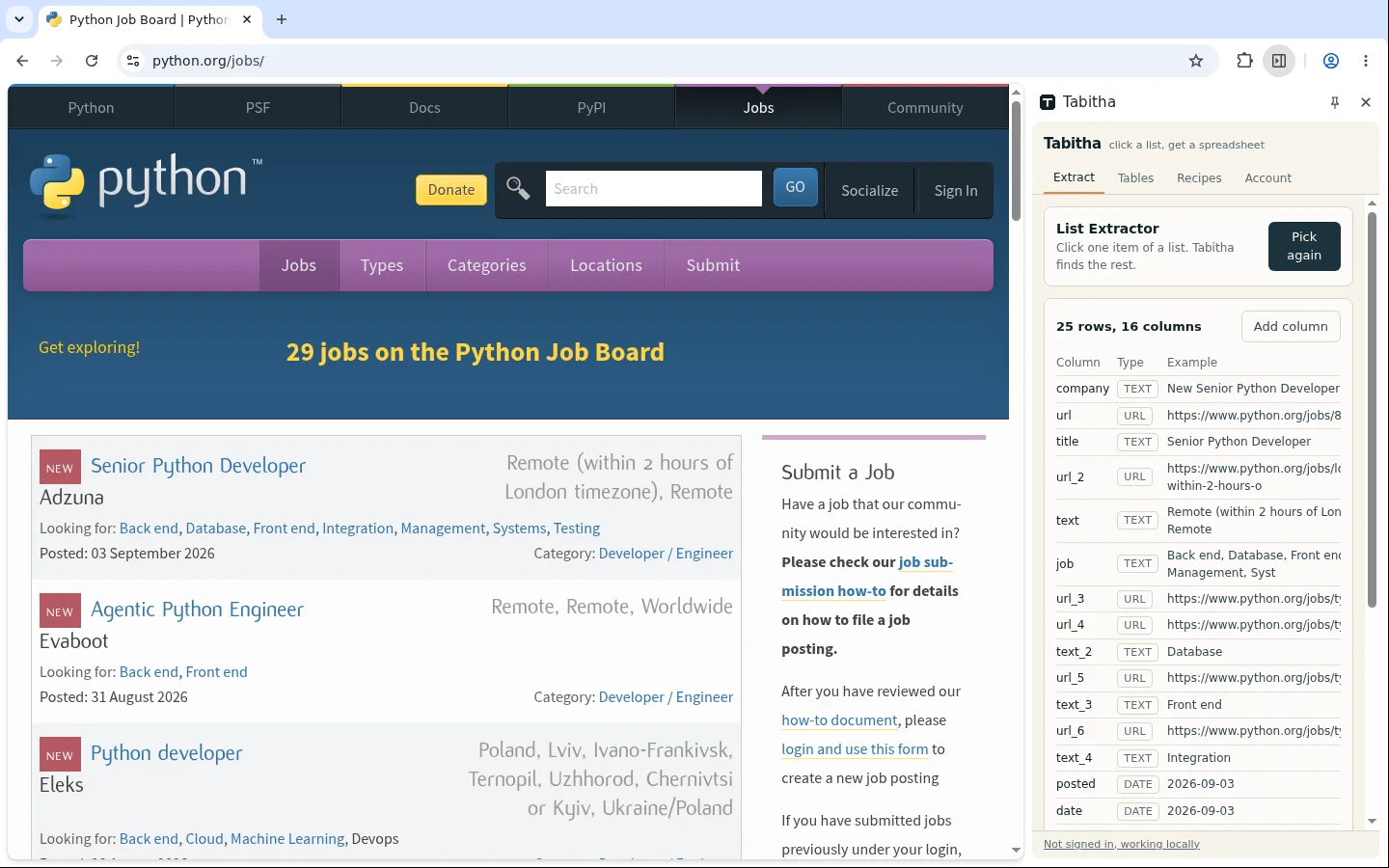
A job board open in Chrome, every offer card highlighted. The Tabitha side panel holds four columns: role, company, location and date.
python.org/jobs

Collect job ads from a board

You are tracking who hires for what. The board shows ten offers at a time and has no export button.

Click one offer card and take role, company, location, salary if it is shown and the link, page after page.

Tool: List Extractor

Build a calendar out of an events page

A whole season of concerts, published as a page of cards. You want the dates and the prices in a calendar or a sheet.

Extract title, date, venue and ticket price. The date stays a date, so the file imports wherever you keep your calendar.

Tool: List Extractor

Track what a marketplace category really costs

You want the price spread across one category. The marketplace lets you sort it and nothing more.

Take the listing with price, condition, seller and end date. The spread is then a formula in your spreadsheet.

Tool: List Extractor

Research and public data

Keep a page of search results as data

You need the first hundred results for a query. Read in a browser tab, they leave you nothing to sort.

Run the search yourself. Then click one result and take the title, the address and the snippet into a table you can filter.

Tool: List Extractor

A company table on Wikipedia with the rows highlighted. The Tabitha side panel has one column per table header.
en.wikipedia.org

Take a public table off Wikipedia or a government site

The number you need is in an HTML table that nobody publishes as a file.

Click one row. Tabitha reads the header as column names and gives you the whole table with numbers kept as numbers.

Tool: List Extractor

Build a bibliography from a results list

The database shows fifty papers per page and the export button asks you to make an account first.

Take authors, title, journal, year and link straight from the results page, then feed the file to your reference manager.

Tool: List Extractor

Size a market from the pages that describe it

Somebody asks how many players there are in a niche. The answer is scattered across directories and rankings.

Extract each source into the same table and deduplicate by domain. Every row keeps its link, which is what makes the count defensible when somebody questions it.

Tool: List Extractor

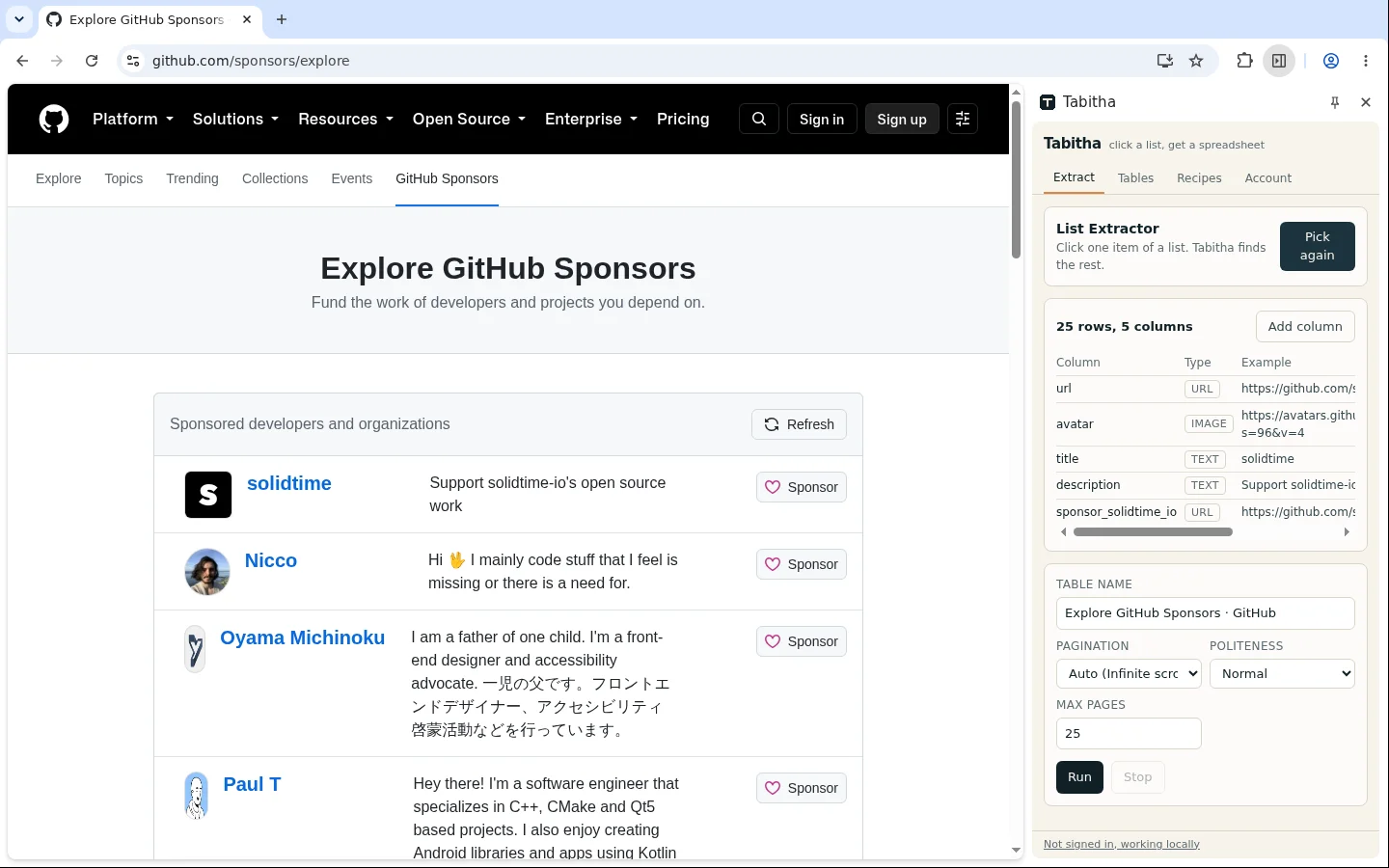
The GitHub Sponsors explore list in Chrome, every developer row highlighted. The Tabitha side panel has detected five columns: link, avatar, name, description and sponsor link.
github.com/sponsors/explore

Compare repositories and dev tools in a sheet

You are choosing a library and the shortlist lives in twenty browser tabs.

Take the trending or search list with name, description, language, stars and last commit, then sort by whatever actually matters to you.

Tool: List Extractor

The Tabitha table open in a full browser tab: sortable columns, a filter box, the row count and the export button above the grid.
Tabitha

Keep a league table you can actually calculate with

The standings look fine on the site and turn into one long text column the moment you paste them anywhere.

Open the table in a full tab and fix the column types. Drop the rows you do not need, then export.

Tool: Data Table

Content, news and AI

Turn a documentation site into text your model can read

You want to answer questions over a knowledge base. Copied by hand, every page drags the navigation and the cookie banner along with it.

Each page gives up its article body as clean Markdown, one row per page. The address travels with it, so an answer can cite where it came from.

Tool: Page Text Extractor

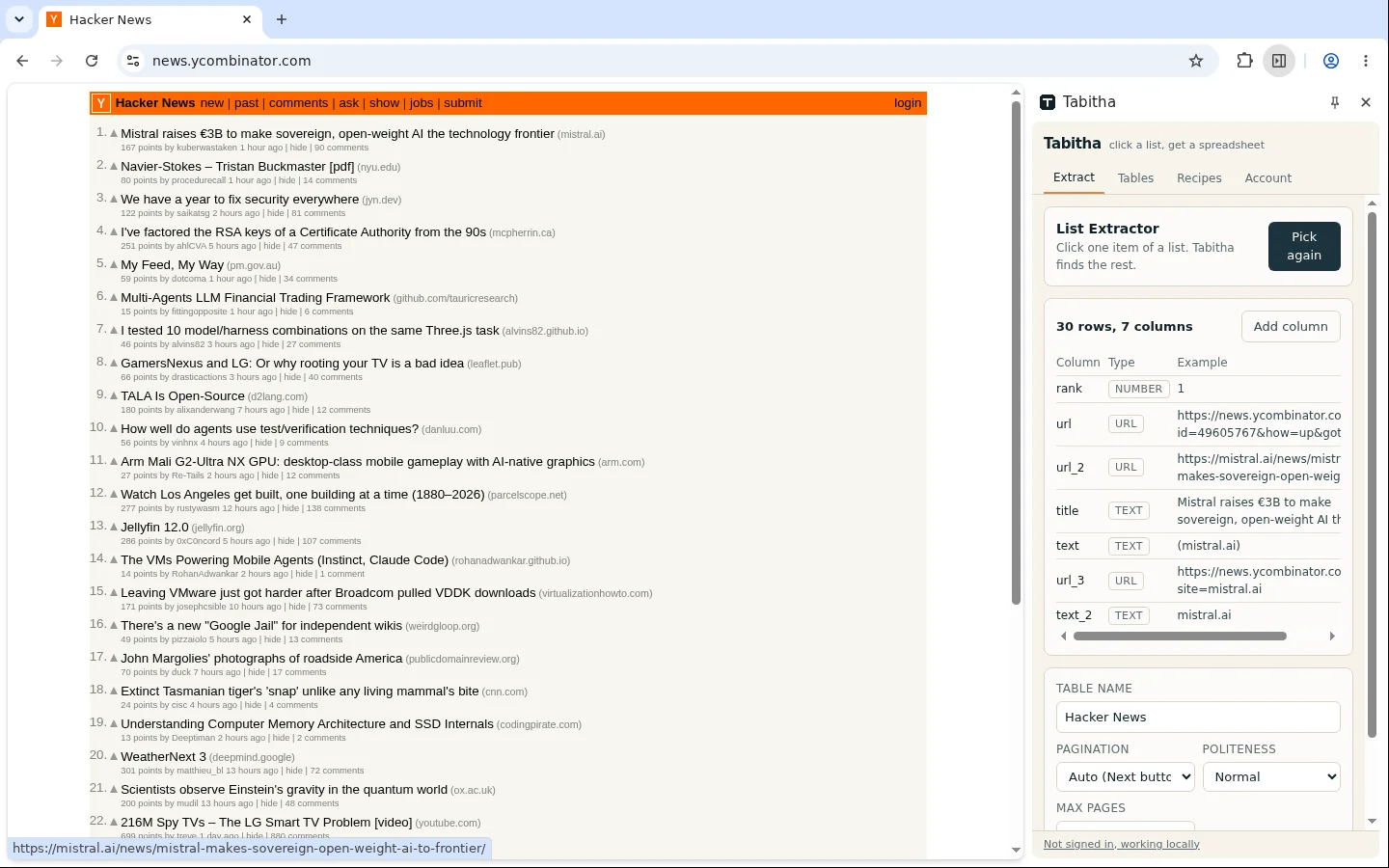
A news list on news.ycombinator.com with every entry highlighted. In the Tabitha side panel, the columns it found: title, link, points and comments.
news.ycombinator.com

Watch several news sources in one table

Five sites cover your topic and not one of them has a usable feed, so you check them by hand every morning.

Save one recipe per site and run them together. What you read in the morning is a single merged table.

Tool: List Extractor

Let Claude do the clicking

You know what you want out of the page and you would rather describe it once than set the columns yourself.

Connect the MCP server and say what to collect. Claude drives the same tools in the browser you already have open, and what comes back to the chat is rows.

Tool: List Extractor

Site operations and repeat runs

Get the full page list of a site

A migration or an audit is coming, and nobody in the company can say how many pages the site has.

Tabitha finds the sitemap through robots.txt and walks the index files. Every address comes back as its own row, ready to group by section.

Tool: Sitemap Explorer

Audit titles and meta descriptions across a site

Six hundred pages, and somewhere in them duplicate titles and empty descriptions. One tab at a time will never show you which.

Feed in the address list and take title, description, canonical, first heading and the Open Graph fields. Sorting by title puts the duplicates next to each other.
Tool: Page Extractor

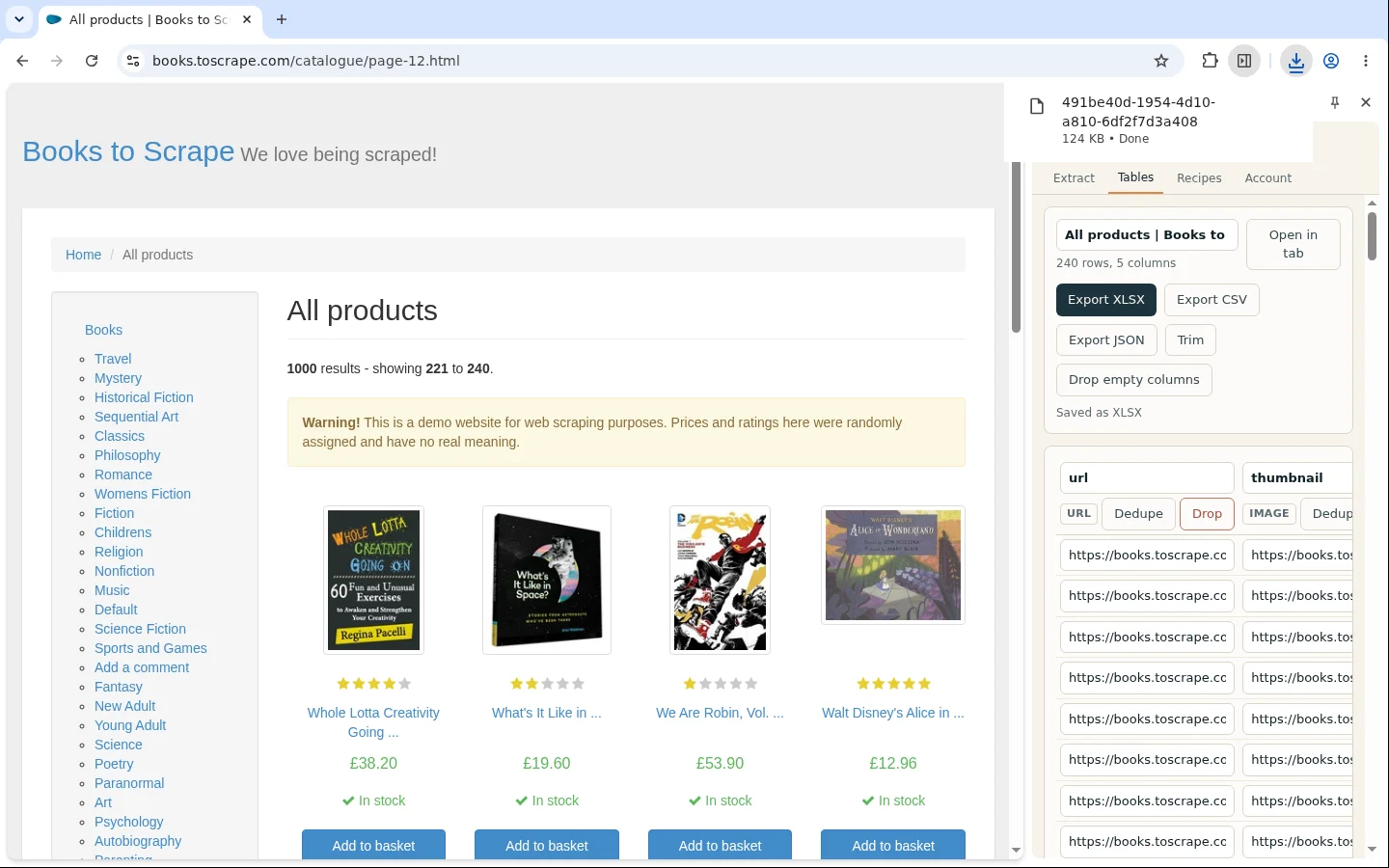
The open export menu over a filled Tabitha table, with CSV, XLSX and JSON as the three choices.
Tabitha

Hand the file over in the shape the next system wants

Your CRM rejects the import because the price column is text and the same company appears three times.

Clean the table first: set the types, split the price from the currency, deduplicate, then export CSV, XLSX or JSON.

Tool: Data Table

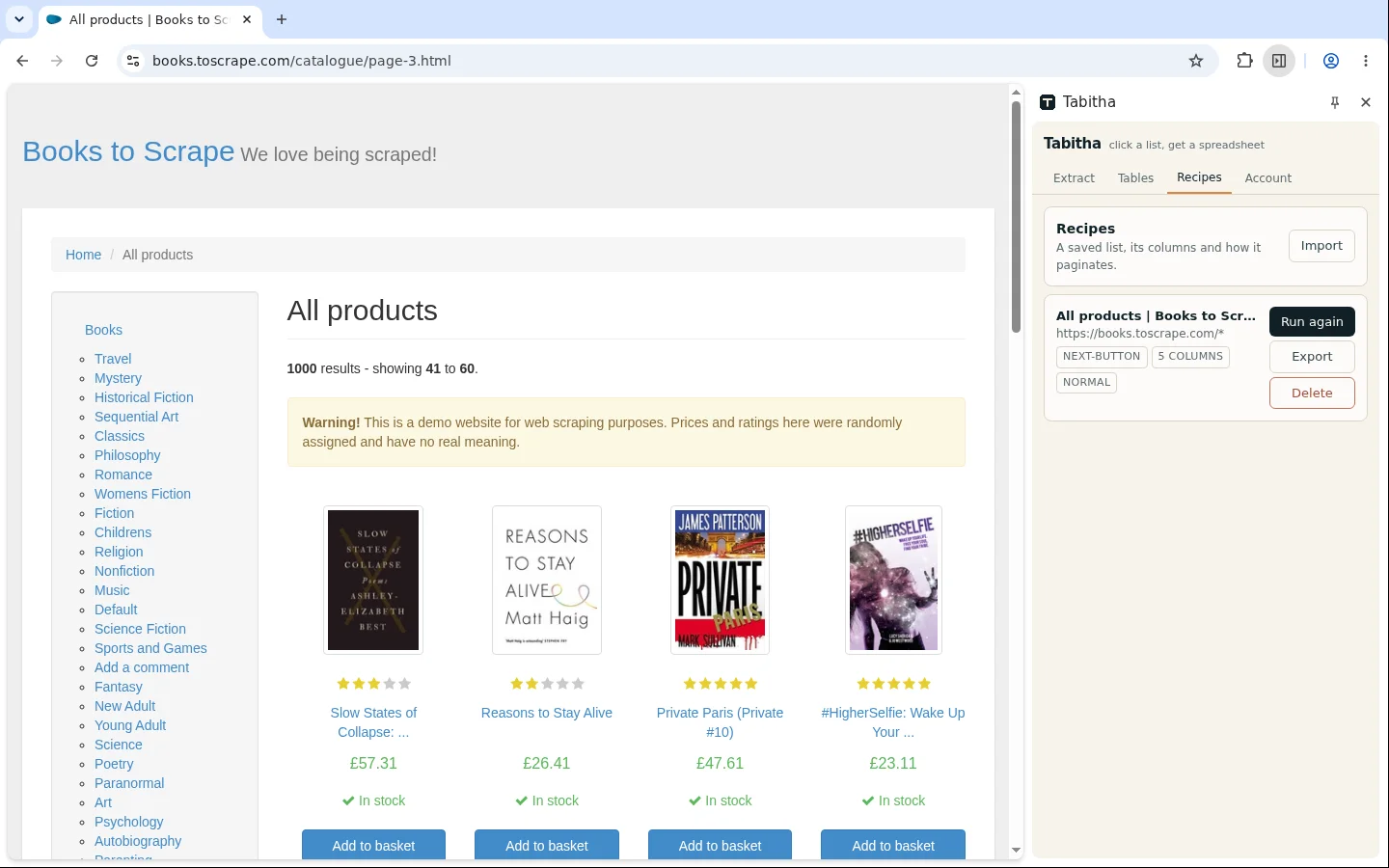
The list of saved recipes in Tabitha, each with the site it belongs to, the columns it collects and the date it last ran.
Tabitha

Run the same job next month without setting it up again

You did the work once. In four weeks you will be picking the same columns on the same site from scratch.

Save the run as a recipe. Open the site, load the recipe, press run. When the markup changes, the columns rebuild themselves from their text anchors.

Tool: List Extractor

Pick the one closest to your job

Install the extension, open the page you already work with and take the first table today.